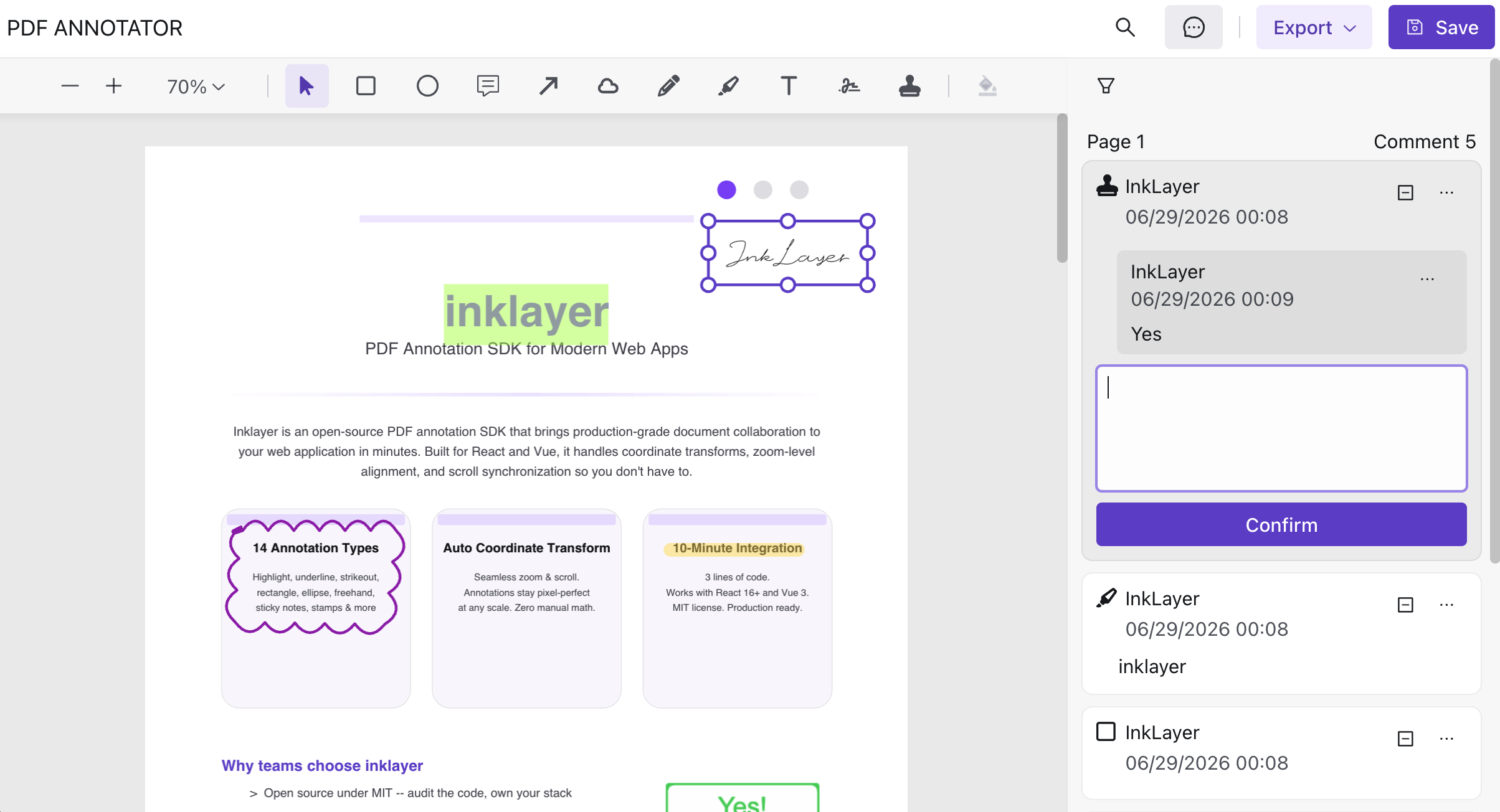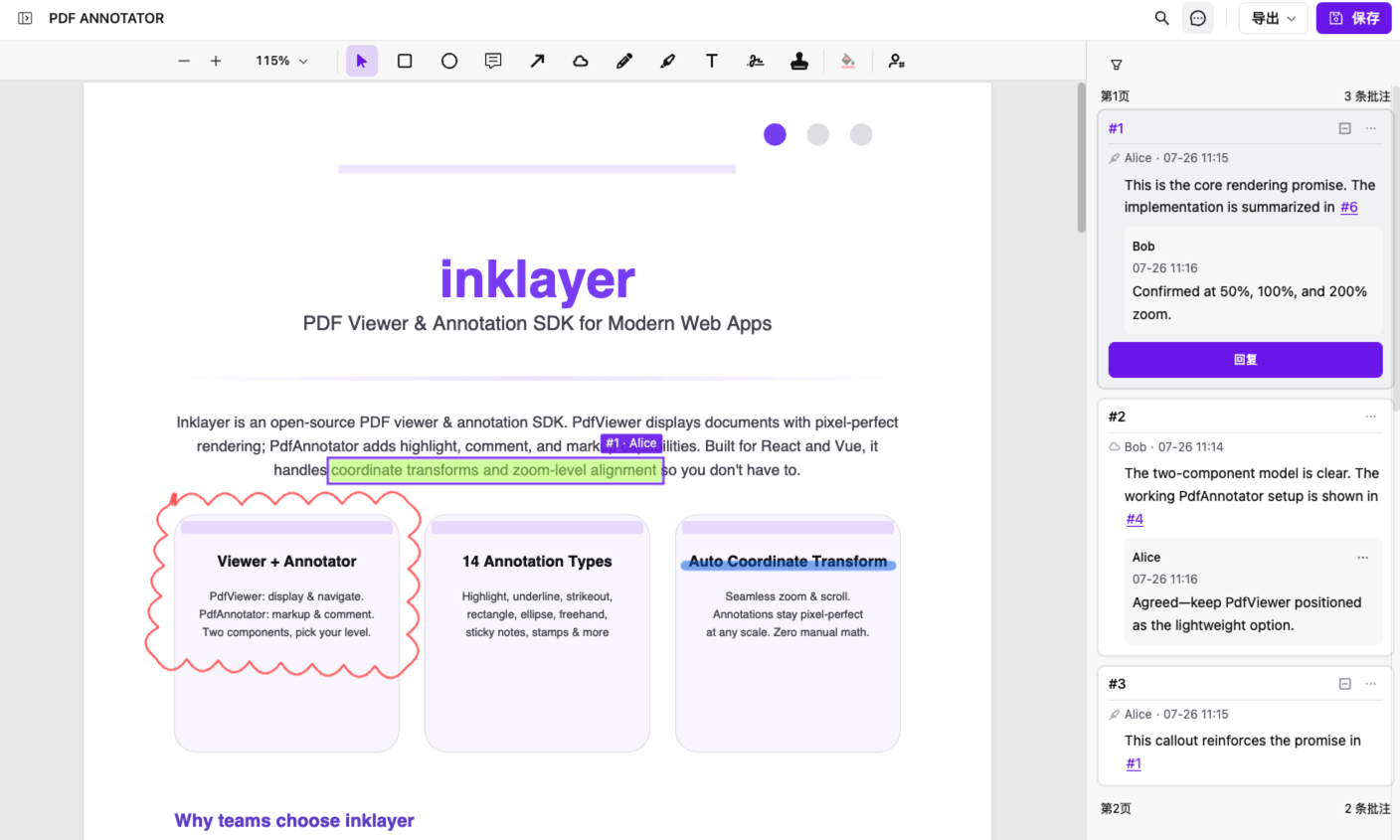


If you are choosing a React PDF rendering library or PDF Viewer component, start with the integration you actually need: embed PDF.js Viewer in an iframe for basic display, build on PDF.js Core for complete rendering control, or use InkLayer’s PdfViewer when you need a React component with search, zoom, print, sidebars, and application-state integration.
npm install inklayer-react
import { PdfViewer } from 'inklayer-react'
import 'inklayer-react/style'

export default function DocumentViewer() {
  return <PdfViewer url="/document.pdf" layoutStyle={{ height: '100vh' }} />
}
You can try the PDF Viewer online or open the React SDK documentation. The rest of this guide compares the engineering cost, extensibility, and use cases of all three approaches.
Building a PDF Viewer in React sounds straightforward — until you realize there’s a key distinction most tutorials gloss over:
The engineering approaches for building a React PDF Viewer typically fall into three main categories: embedding the PDF.js Viewer via an iframe, building a custom rendering layer on top of PDF.js Core, and using a React SDK that wraps and integrates the PDF.js Viewer into the React ecosystem.
Most developers don’t use PDF.js Core API directly. Instead, they integrate PDF.js Viewer (the official
viewer.htmlor a customized fork).
This distinction isn’t academic — it determines your entire integration strategy and engineering cost.
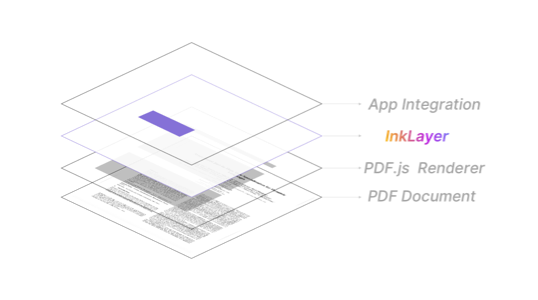
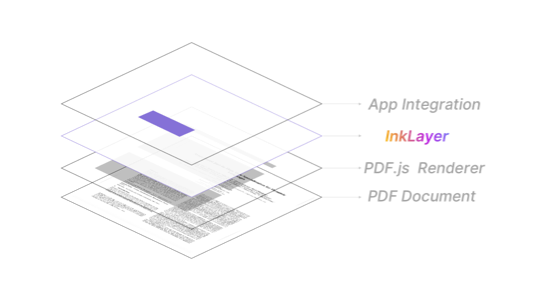
The Three Layers of PDF Viewer Architecture
In real-world projects, PDF Viewer implementations fall into three tiers:
Layer 1: PDF.js Core (Low-Level Engine)
PDF.js Core handles PDF parsing, Canvas rendering, font management, and page layout computation. But it provides no UI whatsoever — you build everything yourself.
import * as pdfjsLib from 'pdfjs-dist'

const pdf = await pdfjsLib.getDocument(url).promise
const page = await pdf.getPage(1)
const viewport = page.getViewport({ scale: 1.5 })
// Then manually draw to canvas...
This approach works for a demo, but reaching production quality requires weeks of work.
Layer 2: PDF.js Viewer (The Real Starting Point)
This is where most teams actually start — embedding PDF.js’s official viewer.html:
<iframe src="/pdfjs-dist/web/viewer.html?file=/doc.pdf" width="100%" height="100%"></iframe>
It ships with:
- Full toolbar (zoom, page nav, download, print)
- Thumbnails and sidebar
- Text selection and search
- Basic responsive layout
The problem: an iframe creates two separate runtimes. React and the Viewer can’t share state directly. Customizing the toolbar means hacking viewer CSS. Extending with business UI requires postMessage plumbing. It works for a prototype; maintenance costs spike in production.
Layer 3: Application-Level Wrapper (e.g., InkLayer)
InkLayer takes what Layer 2 provides and brings it natively into the React ecosystem — not replacing PDF.js, but eliminating the iframe isolation cost and exposing a React component API.
PDF Viewer Integration Patterns in React
If you’re evaluating how to add a PDF Viewer to a React app, here are the three real options:
Option A: iframe with viewer.html
function PdfViewerIframe({ url }) {
  const viewerUrl = `/pdfjs/viewer.html?file=${encodeURIComponent(url)}`
  return (
    <iframe
      src={viewerUrl}
      style={{ width: '100%', height: '100vh' }}
      title="PDF Viewer"
    />
  )
}
- ✅ Fastest path to “it works”
- ❌ State isolation: React has no idea about current page, zoom level
- ❌ Hard to customize: modifying the toolbar requires forking viewer.html
- ❌ Complex communication: postMessage for every interaction
Option B: Build from PDF.js Core
function PdfViewerCore({ url }) {
  // Manual canvas management, zoom state, page navigation...
  // This is 2-4 weeks of work for a production-ready result
}
- ✅ Full control
- ❌ Long development cycle
- ❌ Requires deep PDF.js internals knowledge
- ❌ You’ll debug performance, HiDPI, and memory management yourself
Option C: Use InkLayer
import { PdfViewer } from 'inklayer-react'
import 'inklayer-react/style'

function App() {
  return (
    <PdfViewer
      url="/doc.pdf"
      layoutStyle={{ width: '100vw', height: '100vh' }}
    />
  )
}
- ✅ Production-ready out of the box
- ✅ Native React state synchronization
- ✅ Customizable toolbar and sidebar
- ✅ Built-in theme and dark mode support
→ See the React integration docs and quick start guide
InkLayer SDK: A React Wrapper for PDF.js Viewer
InkLayer is not a PDF.js replacement. It’s a React wrapper around the PDF.js Viewer layer, sitting between Layer 2 and Layer 3:
- Preserves PDF.js Viewer’s rendering, search, and text selection
- Eliminates the iframe isolation overhead
- Exposes state (page, zoom) as React state you can read and write
- Provides slot-based UI customization (replace toolbar, add sidebar panels)
PdfViewer Component Overview
| Feature | Description |
|---|---|
| PDF rendering | PDF.js-based with pooled Canvas rendering |
| Page navigation | Scroll mode and paginated mode |
| Zoom controls | In/out, fit-to-page, fit-to-width |
| Full-text search | Built-in search panel |
| Toolbar | Replaceable or extendable |
| Sidebar | Custom panels (thumbnails, bookmarks) |
| Responsive layout | Desktop and mobile |
| Theme | 27 color swatches, dark mode support |
| Layout control | layoutStyle prop for container sizing |
For full API details, see the React docs.
Comparison Matrix
| Dimension | iframe | Core | InkLayer |
|---|---|---|---|
| Initial development | Fast | Slow | Fast |
| Secondary features (annotation / collaboration / AI) | ❌ Painful | ❌ Heavy | ✅ Pluggable |
| State sync (page / zoom / EventBus) | ❌ | ⚠️ DIY | ✅ Built-in |
| PDF extensibility (annotation / overlay) | ❌ | ⚠️ | ✅ (Key) |
FAQ
How to choose a PDF Viewer approach in React?
If you just need to display a PDF quickly without customization, an iframe with viewer.html works fine. If you need React state sync and UI extensibility, use a React wrapper like InkLayer. Only build from PDF.js Core when you need full control over the rendering pipeline.
What’s the difference between PDF.js Viewer and PDF.js Core?
PDF.js Core is the low-level rendering engine — it provides PDF parsing and Canvas drawing APIs but no UI. PDF.js Viewer is a complete viewer interface (viewer.html) built on top of Core, with toolbar, sidebar, search, and more.
Which frameworks does InkLayer support?
InkLayer currently ships React and Vue versions of the SDK, both built on pdfjs-dist + Konva with a consistent API design.
Key Takeaway: Choosing a PDF Viewer Approach
Building a PDF Viewer in React is not about “using PDF.js” — it’s about:
Building an application-level UI system around PDF.js Viewer that integrates seamlessly with React.
The rendering problem was solved by PDF.js years ago. The real engineering challenge is: how do you turn PDF.js Viewer into a React-friendly component without losing customization power?
That’s exactly what InkLayer does.
Get Started with InkLayer
- Website: inklayer.dev
- GitHub: github.com/Laomai-codefee/inklayer-react
- Starter template: github.com/Laomai-codefee/inklayer-react-starter
npm install inklayer-react
Get a production-grade PDF Viewer in minutes. See the quick start guide for details. If your application also needs highlights, comments, and signatures, continue with the React PDF signatures and annotations guide.